


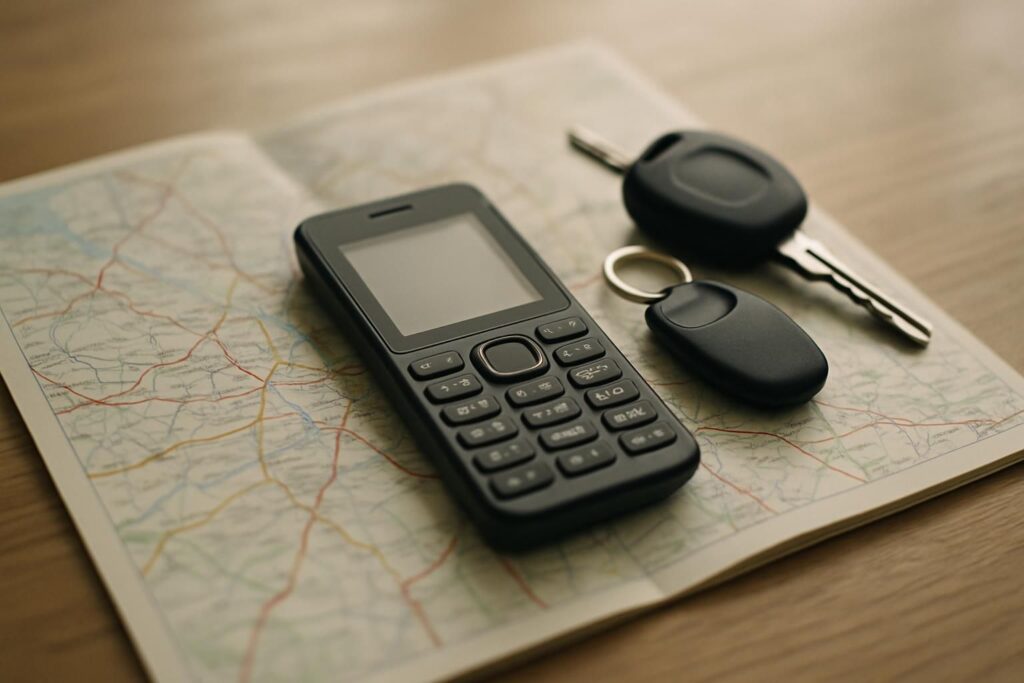
This is the one question where the honest answer has changed twice in three years. Until 2024 you could buy a keypad phone that ran Google Maps. Then the platform those phones were built on stopped being supported, and the answer became no basic phone runs Google Maps any more. In 2026 there is a third answer, and it is the interesting one: one dumb phone now ships with turn by turn navigation built in, and it is not Google Maps.
Why the feature phones that had Maps disappeared
Every keypad phone that ever ran Google Maps ran KaiOS. That was the whole point of KaiOS: a small app store bolted onto a phone with a numeric keypad, with Google’s own apps ported across. The Nokia 8110, the 6300 4G, the 2780 Flip and the TCL flips all worked this way.
KaiOS support ended in 2025. The apps did not vanish from the phones overnight, but they stopped being updated, and one by one they stopped connecting to the services behind them. This is the same mechanism that took WhatsApp off those handsets, described in our guide to which Nokia phones run WhatsApp. If you find a 2023 review recommending a Nokia flip for navigation, it was true when it was written and it is not true now.
A GPS chip is not a map
This is the confusion that sends people back to the shop. Plenty of cheap phones list GPS on the box. Some of them genuinely have the receiver. That receiver tells the phone where it is; it does not tell you how to get anywhere. For that you need three things at once, and most basic phones have one or two of them:
- A GNSS receiver, ideally reading more than one satellite constellation. One is enough in open country and hopeless between tall buildings.
- A map application that can plan a route and speak or show the turns. This is the part that almost never exists on a keypad phone.
- A screen worth looking at. A 1.8 inch display at the resolution these phones use cannot show a junction clearly enough to be safe in traffic.
When a listing says GPS and nothing else, assume it means location for an emergency app or a tracker, not navigation.
Option one: a dumb phone with directions built in
The Light Phone III is the only phone on the market that is genuinely minimal and genuinely navigates. It has no app store, no browser, no social apps and no feed. It has a set of tools you switch on from a web dashboard, and one of them is Directions.
What makes it usable rather than a checkbox is the three modes the maker documents. GPS mode is live turn by turn for walking and driving: it follows you along the route, counts down to the next turn and recalculates if you miss one. Offline mode gives you the route without live tracking, which saves battery and keeps the phone from overheating on a long drive. Public transit mode returns a list of instructions with subway, regional rail and bus lines.
The honest caveat: it is bought directly from the maker rather than from a retailer, it costs several times what a keypad phone costs, and the tools are deliberately fewer than you are used to. That is the trade. If the point of leaving your smartphone was to keep the two or three things you actually rely on, this is the device built around that idea.
If you want navigation this week, and for less
The Light Phone ships from its maker rather than a retailer, and costs what a mid range smartphone costs. The nearest thing you can order today is the Unihertz Jelly Star, a three inch Android that runs Google Maps itself, with four satellite constellations behind the fix. You get better maps and worse discipline. That is the whole trade, and we come back to it below.
Option two: keep the dumb phone, move the map
This is the setup that most people who have done it for more than a year end up with, and it is the cheapest by a wide margin. You carry a plain keypad phone, such as this basic 4G flip with no app store, and navigation lives on a separate device that does nothing else.
For driving, a standalone satnav like the Garmin Drive 53 has advantages a phone never had. The maps are stored on the device, so it works with no signal and no data plan at all, which matters more in rural areas than any feature on a spec sheet. The screen is bigger than any dumb phone screen and it is mounted where you can see it. It does not ring, buzz, or show you a message halfway through a junction. If the Drive 53 is out of stock, any car navigator with maps stored on board does the same job.
For walking and cycling, the equivalent is a paper map or a printed route, and this sounds like a joke until you try it for a fortnight. Most walking navigation is three decisions, not three hundred. The reason this option beats the others is that it is the only one that cannot quietly become a smartphone again.
Option three: a small Android that runs the real thing
If you want Google Maps itself, with live traffic, transit times and street level search, you need Android and the Play Store. There is no way around that in 2026. The trick is to choose a phone small enough that browsing on it is unpleasant, then install two apps and stop.
The Unihertz Jelly Star is the usual answer, a three inch Android that fits in a coin pocket. Unihertz specifies GPS, GLONASS, BeiDou and Galileo on the Jelly 2E as well, which is four constellations and the reason these phones get a fix quickly in a city. The Jelly Max goes further with dual band L1 plus L5 GPS, the same technology that makes recent flagship phones accurate between tall buildings, though at five inches it stops being a phone you can ignore.
If you also want WhatsApp on the same handset, we have written that setup up separately in a phone with just WhatsApp and Maps, which covers which apps to disable and how to keep the phone from filling back up.
Which one fits you
| Setup | Navigation you get | What it costs you |
|---|---|---|
| Light Phone III | Turn by turn, offline routes, public transit | Bought direct from the maker, premium price, few tools |
| Keypad phone plus a car satnav | Full driving navigation, works with no signal | Two devices to carry, nothing for walking |
| Small Android (Jelly Star, Jelly 2E) | Google Maps in full, traffic and transit | It is still a smartphone, discipline is on you |
| A basic 4G keypad phone alone | None at all | Nothing, and that is the point for some people |
Two things to check before you buy anything
Check the network first. Carriers in the US, the UK and much of Europe have switched off or are switching off their old 2G and 3G networks. A cheap phone that only speaks 2G will not make a call in 2026, whatever its map says. Look for 4G LTE and, on a US carrier, for VoLTE support.
Check what happens with no data. Google Maps on a small Android needs a connection unless you download the area in advance, and downloaded areas expire. A standalone satnav does not care. If you are buying navigation for the times you have no signal, that difference is the whole decision.
In short
- No keypad phone sold today runs Google Maps. The ones that did ran KaiOS, and KaiOS support ended in 2025.
- GPS on a spec sheet means a receiver, not a map. Three things have to be present for navigation to work, and most basic phones have one.
- The Light Phone III is the only genuinely minimal phone with turn by turn directions, including an offline mode and public transit.
- The cheapest and most durable setup is a plain keypad phone plus a standalone car satnav with maps stored on board.
- If you want Google Maps itself, buy the smallest Android you can live with and install two apps.