


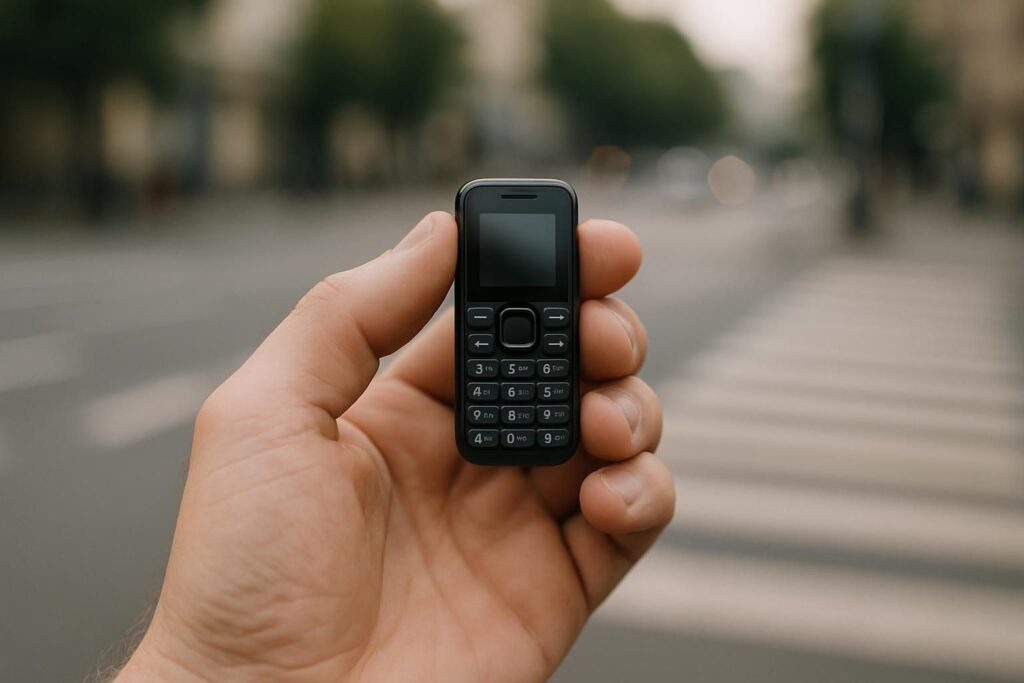
It is the most common request we get, and the most reasonable one: a phone that does messages and navigation, and stops there. No feed, no store to browse at midnight, no thirty icons. The bad news is that nobody sells that phone. The good news is that you can build it in about ten minutes, and it works well.
Why no one sells it
Both apps you want are demanding in the same way. WhatsApp needs a real app platform with regular updates, and Google Maps needs a genuine GPS chip plus enough memory to render a map. For a few years KaiOS handsets offered cut-down versions of both, which is why so many old articles recommend a Nokia 6300 4G for exactly this. That door closed: WhatsApp ended KaiOS support in 2025, and the platform is not being replaced.
Which leaves Android as the only system that runs both. The trick is not to find a phone with only two apps, but to take a small Android phone and make it behave like one.
The device: small enough to stay boring
The size of the screen does more work than any software setting. A three inch display is perfectly usable for a map and a conversation, and genuinely unpleasant for scrolling a feed, which is the whole point. The Unihertz Jelly Star is the reference here: it is one of the smallest 4G Android phones still on sale, it takes two SIM cards, and Unihertz lists full satellite navigation on it, GPS with GLONASS, BeiDou and Galileo, which is what Maps actually needs.
If you would rather test the idea before committing, the Jelly 2E is the cheaper way in and does the same job more slowly. If you are replacing a smartphone for good, the Jelly Max is the 5G version that will still be on speaking terms with carrier networks in a few years. And if you want a clamshell instead, Android flip phones can do this too.
Building the two-app phone
The setup matters more than the hardware. Done properly, this survives contact with a bored evening; done carelessly, you have simply bought a smaller smartphone.
- Install only WhatsApp and Maps. Open the Play Store once, install both, and then do not go back to browse.
- Disable what you cannot uninstall. System apps usually cannot be removed, but they can be disabled in Settings, Apps. Do this to the browser, the video app and the app store itself once you are set up. A disabled app has no icon and cannot be opened.
- Sign in to nothing else. No mail account, no social account. An app with no session is an app you will not open twice.
- Download your maps for offline use. Maps lets you save your region, which makes navigation faster and works when the signal does not.
- Turn off every notification but messages. This is the setting that decides whether the phone stays in your pocket.
Two practical things about Maps on a tiny phone
Navigation is the most demanding thing you will ask of this phone, and it shows in two places. The first is the battery: a screen kept awake with GPS running will empty a small handset quickly, faster than it would a full sized phone, because the battery is smaller. If you navigate while driving, plan on a cable rather than hoping.
The second is the screen itself. A three inch map is fine for following a route with voice guidance, and cramped for studying an area before you set off. The habit that solves it is to plan on a computer and send the destination to the phone, then let the phone do what it is good at, which is telling you when to turn.
What you gain, and what you give up
Being straight about the trade-off matters more than selling you a device. What you gain is real: a phone that fits in a pocket without weighing it down, that does not fill idle moments, and that still gets you across a strange city and keeps you in the family group chat.
What you give up is typing comfort, a decent camera, and the hundred small conveniences you had stopped noticing, from boarding passes to bank apps and two-factor codes. That last one catches people out, so check before you switch how your bank handles logging in. And this is Android, so nothing physically stops you reinstalling everything. The discipline is yours to keep; the small screen simply makes it easier.
If you want a real dumb phone instead
There is an older answer that still works. Carry a plain 4G phone with no app store and let navigation live somewhere else, on a standalone GPS unit in the car or on paper for a walk. It sounds austere, and it is the only version of this that cannot quietly turn back into a smartphone. Plenty of people find that the map was the part they could do without.
In short
- No phone ships with only WhatsApp and Maps. The KaiOS handsets that came closest lost WhatsApp in 2025.
- Build it instead on a compact Android: install two apps, disable the rest, sign in to nothing else.
- Check the phone has real GPS and the Play Store. Without the first, Maps is useless; without the second, WhatsApp will not install.
- A small screen does more for your attention than any app blocker.
- If you want the version that cannot be undone, take a keypad phone and keep navigation off it entirely.